
How to Build a Scalable Startup Architecture


Picture this: after months of late nights, customer interviews, and endless cups of coffee, your product finally goes viral. A major creator shares your app on social media, thousands of excited people click your link at the exact same minute, and then everything freezes. Instead of celebrating a flood of new paying customers, you are staring at a crashed server, a spinning loading wheel, and frustrated comments piling up online. This nightmare happens to founders every single week, and it is the biggest reason you need a scalable startup architecture from the very beginning.
Building a scalable startup architecture does not mean spending millions of dollars on complex enterprise servers on day one. In fact, overbuilding too early is just as dangerous as not preparing for growth at all. According to startup failure research from CB Insights, roughly 70% of tech startups fail within their first few years, and premature scaling—spending too much money and engineering time before locking in product-market fit—is one of the leading causes of death for young companies.
So how do you hit the sweet spot between moving fast and building to last? You need a smart system design for startups that starts simple, costs very little when you have 100 users, and expands smoothly when you hit 100,000 or even 1,000,000 users. In this complete guide, we will walk through how to build a software foundation that grows alongside your business without breaking your budget or your sanity.
Before we dive into databases, cloud servers, and caching, let’s explain what scalability actually means in plain English.
Imagine you open a small neighborhood pizza shop. On your opening day, you have one chef and one small brick oven. When ten customers walk in during lunch, the chef makes ten pizzas quickly, serves them hot, and everyone leaves happy.
Now imagine a food critic puts your pizza shop on national television, and 500 hungry customers show up outside your door at once. With one chef and one tiny oven, people will wait four hours just to get a slice. Most of them will get tired of waiting, walk across the street to a competitor, and never come back.
A scalable startup architecture is like designing your pizza kitchen so that whenever a huge crowd shows up, extra ovens and extra chefs automatically appear, serve the rush without a drop in food quality, and clock out the moment the crowd goes home so you are not paying for empty kitchens at midnight.
In software terms, scalability is your application’s ability to handle a growing amount of traffic, data, and transactions without slowing down or crashing. Here is why getting your architecture right matters so much for your bottom line:
Every iconic tech company—from Airbnb and Slack to Stripe and Notion—started with a small team, limited cash, and big ambitions. If you study how the winners built their early systems, you will notice they followed four simple principles.
Wait to build complex systems until your traffic proves you actually need them. When Instagram first launched, it scaled to 14 million users with just three engineers and a remarkably simple tech stack built on Python and PostgreSQL. If a basic, well-known tool gets the job done today and can comfortably handle 10 times your current traffic, use it and move on to serving your customers.
You do not know what your startup will look like in two years. Your product might change features or pivot twice before it truly takes off. Build your code like LEGO blocks so you can swap out one piece later—like replacing your search bar or upgrading your billing system—without knocking down the whole castle.
When your engineering team only has two to five people, nobody has time to manually copy files to servers or run manual software checks before every update. Setting up automated testing and one-click code deployments (known as CI/CD) in your first month saves hundreds of hours every year and stops buggy code from reaching live users.
Never waste precious startup time building tools that do not make your business unique. Your customers do not care if you wrote your own custom login system, payment processor, or email delivery server. Use trusted third-party services like Stripe for billing, Auth0 or Clerk for user authentication, and SendGrid or Resend for emails so your team can focus 100% of its energy on your core product.
Building a reliable software system is a step-by-step journey. You do not need to turn on every advanced feature on day one, but laying the right groundwork makes future upgrades painless. Here is a practical, seven-step roadmap for system design for startups that works in the real world.
One of the biggest debates in the software world is monolith vs microservices. Because choosing the wrong one can cost a startup months of wasted effort, let’s break down what both mean in simple terms.
Many first-time founders read blog posts about how Netflix, Amazon, and Uber use microservices, so they try to copy that setup on day one. For a startup, starting with microservices is almost always a trap. Netflix has thousands of engineers managing complex network tools; your startup probably has a handful of developers trying to ship a product before your funding runs out.
Instead, the smartest way to build a scalable startup architecture is to start with a Modular Monolith.
In a modular monolith, all of your code lives inside one single repository—which makes it super fast to write, test, debug, and deploy—but you organize the code inside strict, separate folders (modules) for each part of your business. You have one clean folder for User Accounts, one for Payments, one for Inventory, and one for Notifications.
Why is this approach so powerful? First, your small team only has to manage one server deployment instead of twenty. Second, when your startup eventually grows to 50+ engineers and millions of users, those neat folder boundaries make it easy to peel off just the busiest part of your app (like video processing or real-time chat) into its own microservice while leaving the rest alone. Shopify ran as a modular monolith for years while handling Black Friday traffic spikes worth billions of dollars in sales.
When choosing programming languages, frameworks, and tools, “boring” is your secret weapon. Brand-new, trendy frameworks often have hidden bugs, poor security, and tiny communities. Mature, battle-tested technologies have millions of developers, ready-made open-source libraries, and answers to every possible error online.
Here is what a proven, modern startup tech stack looks like in 2026:
Using popular languages like TypeScript or Python also gives you a huge hiring advantage. When you raise funding and need to hire five engineers quickly, the talent pool for popular tools is 50 times larger than for niche programming languages.
When developers build a quick weekend prototype, they often put the website code, uploaded user photos, and the database on the exact same virtual computer. That works fine for a demo with ten test users, but it will break fast in the real world.
Why? Because your web application and your database need very different kinds of computer power. If a sudden traffic spike eats up all the memory on your web server, your database will freeze too—and a crashed database can permanently corrupt customer records.
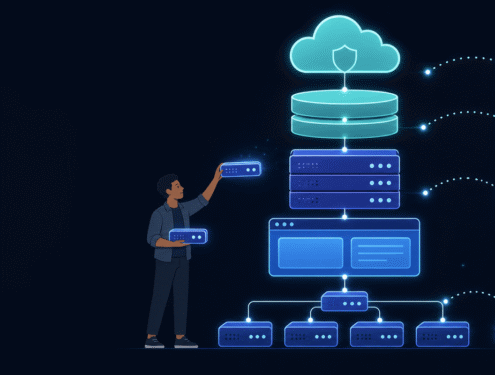
To build a scalable startup architecture, always separate your system into three distinct layers:
Even better, make sure your application servers are stateless.
What does “stateless” mean? Imagine calling an airline’s customer service number. If only one specific agent in the call center has a paper notebook with your ticket details, you have to wait on hold every time that agent is busy—and if they go home sick, nobody can help you. That is a “stateful” system.
Now imagine every agent in the call center looks at the same shared cloud screen. Any agent who picks up the phone can see your ticket and help you in seconds. That is a stateless system. When your app servers store temporary login sessions in a shared cache (like Redis) instead of on their own local hard drives, any server can help any user. That means you can automatically spin up 20 extra servers during a traffic rush and turn them off an hour later without logging anyone out.
Your stateless application servers are easy to duplicate, but your database holds a single source of truth for your entire business. In practice, roughly 80% of all performance slowdowns in growing startups happen inside the database.
For 95% of startups, a relational (SQL) database like PostgreSQL is the gold standard starting point. Modern PostgreSQL gives you strict data safety for money and user accounts, supports flexible JSON documents when you need NoSQL-style flexibility, and can easily handle tens of millions of rows on a single well-configured machine.
As your customer base expands, scale your database step by step in this exact order:
The fastest database request is the one your server never has to make. That is the superpower of caching.
Think of caching like keeping a bowl of your favorite snacks right on your desk instead of walking ten minutes down the street to the grocery store every single time you want a bite.
A high-performing system design for startups uses two main types of caching:
What happens when your startup lands on the front page of the news and one web server can no longer keep up with all the visitors? Instead of relying on one giant computer (vertical scaling), you run multiple smaller web servers side by side (horizontal scaling).
To make multiple servers look like one seamless website to your users, you place a Load Balancer at the front door.
Think of a load balancer like the host at the entrance of a busy restaurant. As guests walk through the front door, the host checks which tables are open and guides each group to a waiter who is ready to serve them. Even better, the load balancer runs automatic health checks every few seconds. If Server #2 crashes or slows down, the load balancer immediately stops sending visitors to Server #2 and routes everyone to the healthy servers so your customers never see an error page.
In a modern cloud-native infrastructure, you pair your load balancer with Auto-Scaling. Instead of paying for 10 servers 24 hours a day just in case a traffic spike happens, you set automatic rules:
This elasticity gives your startup the muscle to survive massive viral traffic spikes while keeping your monthly cloud bill lean during quiet hours.
One of the easiest ways to make your app feel lightning-fast—and handle 10x more users on the same hardware—is to stop doing heavy work while the user is waiting on a loading screen.
Imagine a new customer clicks “Complete Purchase” on your checkout page. Behind the scenes, your system might need to do six things:
If your web server tries to finish all six tasks before loading the “Thank You” screen, the customer will stare at a spinning wheel for 6 to 10 seconds. Worse, if the third-party email service is having a slow day, your checkout page might time out and fail!
In a scalable startup architecture, your web server only performs Step #1 (charging the card and saving the order) immediately and shows the “Thank You” screen in under half a second. For Steps #2 through #6, the server drops a tiny note into a Message Queue (using tools like AWS SQS, RabbitMQ, or Redis BullMQ).
Separate background worker servers quietly pick up those notes from the queue one by one and finish generating PDFs and sending emails behind the scenes. If the email provider goes down for five minutes, the message simply waits safely in the queue and automatically retries a minute later—zero lost orders, zero frustrated customers.
Your system design for startups should match the actual stage of your business. Building for 10 million users when you have 50 users wastes money; building for 50 users when you have 500,000 users causes outages. Use this roadmap to match your architecture to your growth stage:
Even smart, experienced founding teams fall into traps when building under pressure. Watch out for these five common architecture mistakes:
Reading engineering blogs from Google or Uber and setting up complex Kubernetes clusters and 25 microservices for a three-person startup is the fastest way to burn through your seed funding. Solve the problems you have today, design clean boundaries in your code, and only add infrastructure complexity when metrics prove you need it.
You cannot fix a bottleneck you cannot see. Never wait for angry customers to message you on social media to find out your checkout page is broken. Install error tracking (such as Sentry) and application performance monitoring (such as Datadog, Grafana, or New Relic) before your first public launch. Set up automated Slack or phone alerts for high error rates, slow response times, and database CPU spikes.
A single sloppy piece of code that asks the database 500 separate questions to load one page (known as the N+1 query problem) can bring a powerful database server to its knees with just 100 concurrent users. Review your slowest database queries every month and add indexes to every column used for searching, filtering, or joining tables.
Never type API keys, database passwords, or server addresses directly into your source code. Store all secrets in secure environment variables or a cloud secrets manager. This protects your startup from catastrophic security breaches and makes it effortless to run separate testing, staging, and live production environments.
Auto-scaling is amazing until a bot attack or an accidental infinite loop in your code spins up 100 giant servers overnight. Always put a rate limiter (via Cloudflare or your API gateway) in front of your app so no single user or bot can flood your servers with thousands of requests per second. Just as important, set up strict billing alerts and budget caps in your cloud dashboard so a coding bug never turns into a surprise $50,000 cloud bill.
Learning how to build a scalable startup architecture is one of the highest-value skills any founder, CTO, or developer can master. You do not need a million-dollar enterprise budget or an army of cloud engineers to build software that handles massive user growth smoothly.
Start with a clean modular monolith, a battle-tested tech stack, and a reliable database like PostgreSQL. Lean on cloud-native infrastructure for managed security, automatic backups, and global CDNs. Keep your web servers stateless, cache your busiest data in Redis, push heavy tasks into background queues, and scale horizontally with load balancers as real customers pour in.
By keeping your architecture simple today while leaving clean doors open for tomorrow, your startup will move fast right now—and stay rock-solid when your big viral moment finally arrives.




Copyright © 2026 Engineer Hut. All rights reserved.